Introduction to TableauCRM
What is TableauCRM ever wondered, well I will try to explain you in this blog in very simple way.
1.TableauCRM -
If you are reading this post then I assume that you are already familiar with salesforce, so I will not go much deep into introducing salesforce.
TableauCRM formerly known as Einstein Analytics is a salesforce platform or tool in salesforce Analytics cloud which gives you power to analyze your data by building beautiful dashboards, dataflow, and Einstein Discovery models(Machine Learning) and helps in enhancing your Business Intelligence.
2. How to enable TableauCRM in your Salesforce Org
Each Tableau CRM platform user needs an Einstein Analytics Growth permission set license to use the Tableau CRM platform. Creating a permission set and assigning it to a user auto-assigns the Tableau CRM platform permission set license to that user. You can also manually assign permission set licenses to users.
Please visit the link to know more - https://help.salesforce.com/articleView?id=sf.bi_setup_user_permissions.htm&type=5
Enable TableauCRM org for trailhead- https://developer.salesforce.com/promotions/orgs/analytics-de
3. Levarage Power of TableauCRM in you Salesforce Org.
If you have done all the pre-requisites you will be able to open the Analytics Studion in your Salesforce org.
Please follow the Steps -
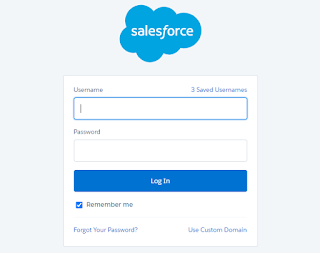
1] Log In to TableauCRM enabled Org.
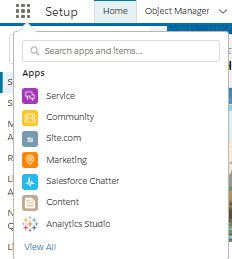
2] Click App Launcher  (Top Left of your Screen😁)
(Top Left of your Screen😁)
3] Click on Analytics Studio (TableauCRM)
After clicking on Analytics Studio, Home Page of Analytics Studio will open, and here you go, you are ready to play with your data.

Comments
Post a Comment