Introduction to Apps, Dashboards, Lenses, Dataset in TableauCRM
In this blog we will learn about what are Apps, Dashboards, Lenses, Dataset in TableauCRM and how can we use them.
 TableauCRM will suggest you many prebuilt Apps, you can choose one of them based on requirnment or you can create blank App


Select a file to upload , and upload the file.

Give your Dataset a Name.

The next step is to verify your column has correct datatype or not, for example Date fields, Text fields should be Dimensions, numeric fields such as Amount should be Measures, verify and upload the file.


- App
- Data Set
- Lens
- Dashboards
App -
App is like a folder in TableauCRM where we keep all our Dashboards, DataSets, Lenses for examples
Sales App, Service App, Revenue App so these apps will have dashboards, dataset , lenses of their own. no jumbling everything sorted.
How to create a App in TableauCRM -
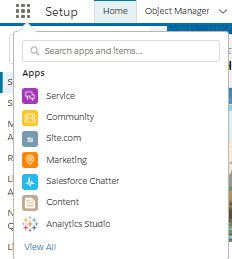
- Open TableauCRM(Analytics Studio) from App launcher
2.Click on Create Click on App (Top Right of the Screen)
3. Click on Create Blank App
Give Name to App and click Create our App is ready.
Initially our App will be blank since we don't have any assets in it like Dashboards, Lenses, Datasets.
In next chapter we will learn to create Datasets . Note -(Revise your SQL concepts like joins 😉)
2] Dataset -
Dataset are data table in TableauCRM. You can create dataset using different ways in TableauCRM such as uploading csv, or using dataflow and Recipe we will discuss how to create dataset in detail.
1] How to create Dataset using csv.
Open TablauCRM(AnalyticsStudio) from App launcher , Click on Create, Click Dataset.
Click on CSV File.
Select a file to upload , and upload the file.
Give your Dataset a Name.
The next step is to verify your column has correct datatype or not, for example Date fields, Text fields should be Dimensions, numeric fields such as Amount should be Measures, verify and upload the file.
Your dataset is ready.
2] How to create Dataset using Dataflow-
Creating dataset using dataflow gives you more power over data as you can transform data in your own way, for time being we will keep it up to how to create dataset, later on we shall dig more into dataflow.
Dataflow act as an ETL tool in TableauCRM where we extract data from Salesforce object (Local/External) where we perform different operations, joins, append, compute expressions, and the result is required dataset. Lets have a look into it.
How to navigate to dataflow -
1. Go to Analytics Studio (TableauCRM)
2. Go to DataManager
3. Click on Data Manager


Components of the dataflow -
Dataflow has different components which serves different purposes while building dataflow.
below we shall see what are the dataflow components and what are their uses.
1. Dataset builder -
Comments
Post a Comment